A Practical Guide to Toolbox Icons for Modern Projects
Finding the right icon set can be a surprisingly complex decision in a design project. The market offers a vast range from free, open-source libraries to premium, highly specialized packs. Toolbox Icons presents itself as a versatile, high-quality collection aimed at a broad spectrum of uses. This article examines its characteristics, how it stacks up against general alternatives, and the practical factors to consider before integrating it into your work.
What Is Toolbox Icons and Its Core Offering
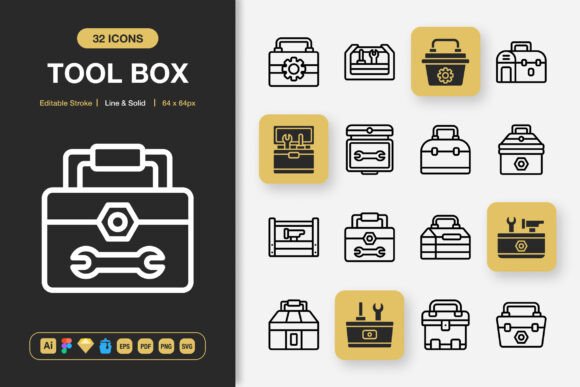
Toolbox Icons is a set of 100 minimalist icons available in both line and solid styles. The primary distinction lies in its bundled file formats and built-in customization. Unlike many single-format packs, it includes the source Adobe Illustrator file, along with dedicated files for Figma, Sketch, and IconJar. It also provides the final assets in EPS, PDF, SVG, and PNG at multiple resolutions from 32px to 512px. This multi-format approach is key to its utility.
The icons themselves are designed with an editable stroke, meaning their weight and detail can be adjusted directly in vector editing software without losing quality. This addresses a common limitation of static SVG or PNG icons, where minor style adjustments require recreating the asset from scratch.
Evaluating the Versatility Claim: Use Cases and Fit
The promotional material suggests suitability for "any project," including websites, mobile apps, print materials, and social media. In practice, its minimalist design and neutral aesthetic do lend themselves to cross-media application. For a digital product like an app or website, the SVG files and direct Figma/Sketch integration facilitate rapid prototyping and consistent UI implementation. For print projects like flyers or posters, the high-resolution PNGs and EPS files ensure crisp output.
However, "any project" requires scrutiny. While versatile, Toolbox Icons is a generalist set. A project requiring highly specific, themed icons—for example, detailed medical equipment or historical symbols—would likely need a more specialized library. Its strength is in providing clean, foundational UI symbols, directional indicators, and simple object representations common to many interfaces and communications.
Key Features and Their Practical Implications
Understanding the listed features in terms of daily workflow reveals their value.
- Line and Solid Style: Offering both styles within one set provides immediate visual flexibility. You can maintain brand consistency while using different weights for hierarchy, such as solid icons for primary actions and line icons for secondary elements.
- Editable Stroke: This is a significant advantage over many fixed-weight icon packs. It allows you to match the icon stroke width precisely to your typography or design linework, creating a more cohesive visual language.
- Multiple File Formats:The inclusion of source files (Illustrator) alongside platform-specific files (Figma, Sketch) and standard exports (SVG, PNG) reduces friction. It means developers, graphic designers, and UI/UX designers can all work with the assets in their native environments without conversion headaches.
- Scalable PNG Sizes:Providing PNGs at eight specific sizes, from 32px to 512px, covers most standard needs from tiny favicons to large promotional graphics, saving time from manual resizing.
Comparing the Package to Common Alternatives
When evaluating Toolbox Icons, designers often compare it to three broad categories: massive free libraries, subscription-based marketplaces, and niche premium packs.
Free libraries, like Font Awesome or some open-source SVG collections, offer immense volume. The tradeoff is often in consistency, unique style, and depth of customization. They can be a perfect starting point, but curating a coherent subset and adapting them to a specific project's needs can require extra labor. Toolbox Icons, as a smaller curated set with a unified aesthetic and editable source, offers a more streamlined, consistent starting point.
Subscription marketplaces provide access to thousands of icons across many styles. Their value is in ongoing variety and discovery. For a studio needing constant fresh inspiration, they are ideal. For a specific project with a fixed budget and defined needs, a one-time purchase like Toolbox Icons can be more cost-effective, provided its style matches the requirement. You own the files outright, with no ongoing fee.
Niche premium packs are often highly artistic or topic-specific. They excel when the project's visual identity is bold and thematic. Toolbox Icons’ minimalist approach is conversely a strength when the design needs to be neutral, supporting content without dominating it. It functions more as a utility.
Decision Factors: When Toolbox Icons Is the Right Choice
Several project indicators suggest Toolbox Icons could be a strong fit.
- Multi-Platform Projects:If you are designing a product that will manifest as a website, mobile app, and print collateral, the cross-format files directly address the technical needs of each medium.
- Speed and Efficiency Focus:For rapid prototyping or projects with tight timelines, having icons ready in design tool formats (Figma, IconJar) and development formats (SVG) can accelerate iteration and handoff.
- Need for Minor Customization:If your brand guidelines require specific stroke weights or slight alterations, the editable vector source is invaluable compared to dealing with static final files.
- Desire for Cohesive Minimalism:When the project’s aesthetic is clean, modern, and understated, this set’s style aligns naturally.
Potential Limitations and Situations for Other Options
Toolbox Icons may not be the optimal selection in certain scenarios.
- Requirement for Extensive Icon Count:With only 100 icons, it covers basics but not exhaustive scenarios. A complex dashboard application might quickly exhaust the available symbols, necessitating supplementation.
- Need for a Very Distinct or Artistic Style:If the project’s identity relies on quirky, hand-drawn, or highly decorative icons, the minimalist nature of Toolbox Icons might be too generic.
- Budget Constraints for Zero Cost:For personal projects or early-stage startups with no budget for assets, free libraries remain a pragmatic first resort. The investment in Toolbox Icons is justified by time savings and customization, but only if those factors are valued.
- Specialized Subject Matter:As noted, projects deeply rooted in a specific industry (e.g., agriculture, advanced engineering) might find the general symbols insufficient.
Considering the Workflow Integration
A less obvious factor is how an icon set integrates into your team's workflow. The bundled IconJar file is specifically useful for macOS-based designers using that organization tool. The separate Figma and Sketch files indicate thoughtful preparation for modern UI design environments. If your team operates heavily within one of these ecosystems, this prepackaged compatibility reduces setup time. Conversely, if your workflow is centered around a different tool not explicitly supported, like Adobe XD or Inkscape, you would rely on the generic SVG or source Illustrator files, which is still workable but may involve an extra step.
Making an Informed Selection
The choice of an icon set is rarely about finding the "best" one universally, but about finding the best fit for a specific project's constraints and goals. Toolbox Icons distinguishes itself through its combination of a clean, adaptable style and exceptional practical readiness in multiple formats. Its value is most pronounced for projects that operate across digital and print media, prioritize a streamlined modern aesthetic, and benefit from having editable source assets to ensure perfect harmony with other design elements.
Before deciding, map your project's requirements: the required icon count, the necessary stylistic tone, the technical formats your team uses, and the budget. Compare these against the offerings of free libraries, subscription services, and specialized packs. Toolbox Icons occupies a sensible middle ground—offering more curation and ready-to-use flexibility than free libraries, with a more focused and permanent ownership model than subscriptions. For many professional projects seeking a reliable, versatile visual toolbox, it presents a compelling, efficient solution.